

At online conferences, speakers increasingly begin by describing their physical appearance for accessibility reasons. But if we applied the same logic we use for alt text on websites, would most of those descriptions actually pass the test of usefulness or are we drifting from accessibility into performance?
At a recent online conference, the speaker introduced themselves like this:
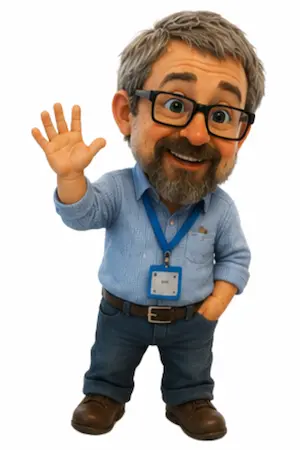
I’m a white man with short grey hair, glasses, and a blue shirt.
Not their job title. Not their role in the project. Not even where they were speaking from. Just a physical description.
This is becoming increasingly common in accessibility-aware communities, especially at online conferences and open source events. The intention is usually good: providing visual context for blind or low-vision attendees who cannot see the video feed.
But it raises a question that is not often asked out loud.
If we apply the same accessibility principles we use on the web, should speakers really be describing what they look like at all?
The Purpose of Alt Text Is Context
One of the first principles of accessibility is that alt text should describe the purpose of an image, not every visual detail.
Take a team page as an example.
If you have a headshot next to someone’s biography, the alt text is usually just:
<img src="/brian.jpg" alt="Brian Teeman">or perhaps:
<img src="/brian.jpg" alt="Brian Teeman, founder">Not a full visual breakdown of appearance.
<img src="/brian.jpg" alt="Middle-aged white man with glasses wearing a black shirt">Why? Because the purpose of the image is identification, not portrait analysis.
And if the person’s name and role are already visible next to the image, then the photograph may be entirely decorative. In that case, the correct accessibility choice might be:
<img src="/brian.jpg" alt="">That is standard accessibility guidance: context matters, purpose matters, and redundancy should be avoided.
What Information Is Actually Missing?
The core accessibility question should always be:
What information is lost if this cannot be seen?
For a conference speaker, the important information is usually:
- who they are
- what they do
- why they are speaking
Not their haircut.
A blind attendee will typically gain more practical value from:
I’m Jane Smith, maintainer of the project, speaking from Berlin.
than from:
I’m a white woman with curly brown hair wearing a green sweater.
Yet increasingly, the second format is treated as the more inclusive default.
Accessibility or Experiential Parity?
This is where the discussion becomes more nuanced.
Traditional accessibility guidance is largely functional:
- communicate the important information
- avoid duplication
- provide equivalent access
But some modern accessibility thinking is aiming for something broader: experiential parity.
The argument goes like this:
Sighted attendees automatically receive social and visual cues — age, presentation, facial expression, clothing, perceived mood, and environment. Blind attendees do not.
Therefore, self-description attempts to share some of that missing context.
This is a reasonable argument. In some social contexts, richer descriptions can be helpful and meaningful.
But it also exposes a long-standing tension in accessibility work:
Should accessibility reproduce the experience of sight, or communicate only the useful information?
Those two goals are not always the same thing.
The Problem With Ritualised Accessibility
The danger is when accessibility becomes a ritual rather than a judgement.
Some conference introductions now include a fixed checklist:
- pronouns
- physical description
- emotional state
- background environment
- accessibility statements
- code of conduct reminders
At some point, inclusion risks becoming performance rather than practicality.
And the irony is that accessibility guidance for the web has long warned against unnecessary verbosity and redundant information. Screen reader users, in particular, are sensitive to repetition and clutter.
The same issue appears in alt text discussions all the time: should you repeat what is already visible in surrounding text? Most guidance says no because it reduces usability rather than improving it.
Context matters. Always.
The Most Useful Accessibility Question
The most reliable accessibility decisions rarely come from rigid rules. They come from one simple question:
What would actually help someone here?
Sometimes a physical self-description genuinely adds value.
Sometimes it does not.
Sometimes the better accessibility improvement is elsewhere entirely. Captions, audio quality, clear speaker identification, well-structured slides, or simply not reading text from an unreadable screen.
Accessibility is not a checklist. It is judgement.
And perhaps the real challenge is being willing to ask whether a well-intentioned practice is actually useful in context, or simply becoming habit.

 Congratulations, you discovered a hidden secret!