

Joomla 6.1 introduced two module-related features that many site builders may have overlooked: Module Versioning and Multilingual Module Associations. Neither feature is particularly flashy, but both solve real-world administration challenges and can make your Joomla sites easier to manage, maintain and update.
When a new Joomla release arrives, attention naturally focuses on the headline features. Those are the features that appear in release announcements, social media posts and conference presentations.
But some of the most useful improvements are the ones that quietly arrive in the background.
Module Versioning
Joomla 6.1 introduced Module Versioning, bringing the same version history capabilities that articles have enjoyed for many years to Joomla modules.
Module versioning is not enabled by default. To use it, go to Global Configuration→ Modules → Options and enable versioning.
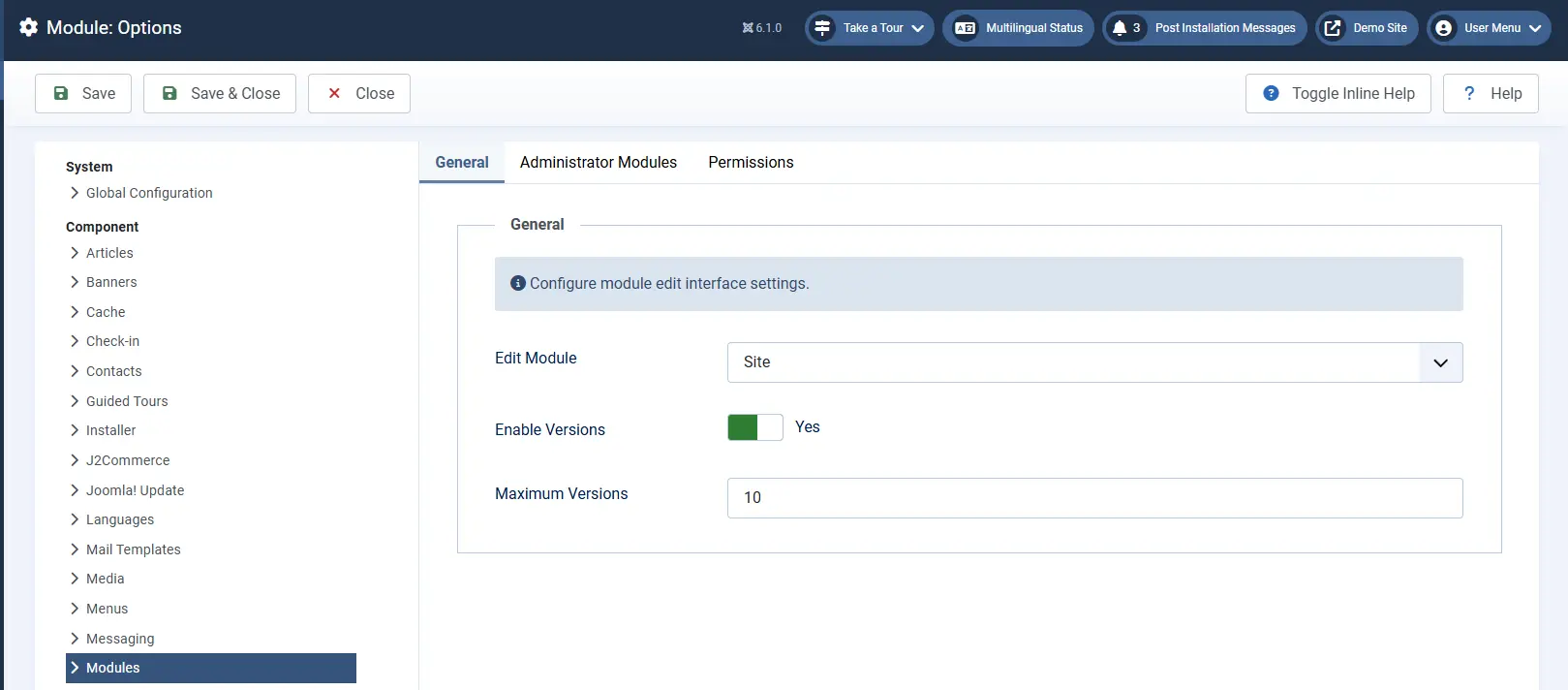
Once enabled, I recommend immediately opening each existing module and clicking Save, even if you make no changes. This creates an initial version record and stores the module's current state in the versions table.
From that point onwards, every change made to a module will be recorded automatically. Just like article versioning, you can:
- View a module's version history
- Compare different versions
- Add version notes
- Restore a previous version if required
Module versioning is not limited to the modules that ship with Joomla. It also works with third-party modules, allowing you to track and restore changes regardless of who created the module.
Taking a few minutes to save your existing modules after enabling versioning gives you a baseline version that can be restored later if needed.
If you do not perform this initial save, the first version recorded will be the first change made after versioning was enabled. As a result, you will not have a version representing the module's original state.
Multilingual Module Associations
Joomla 6.1 also introduced Multilingual Module Associations.
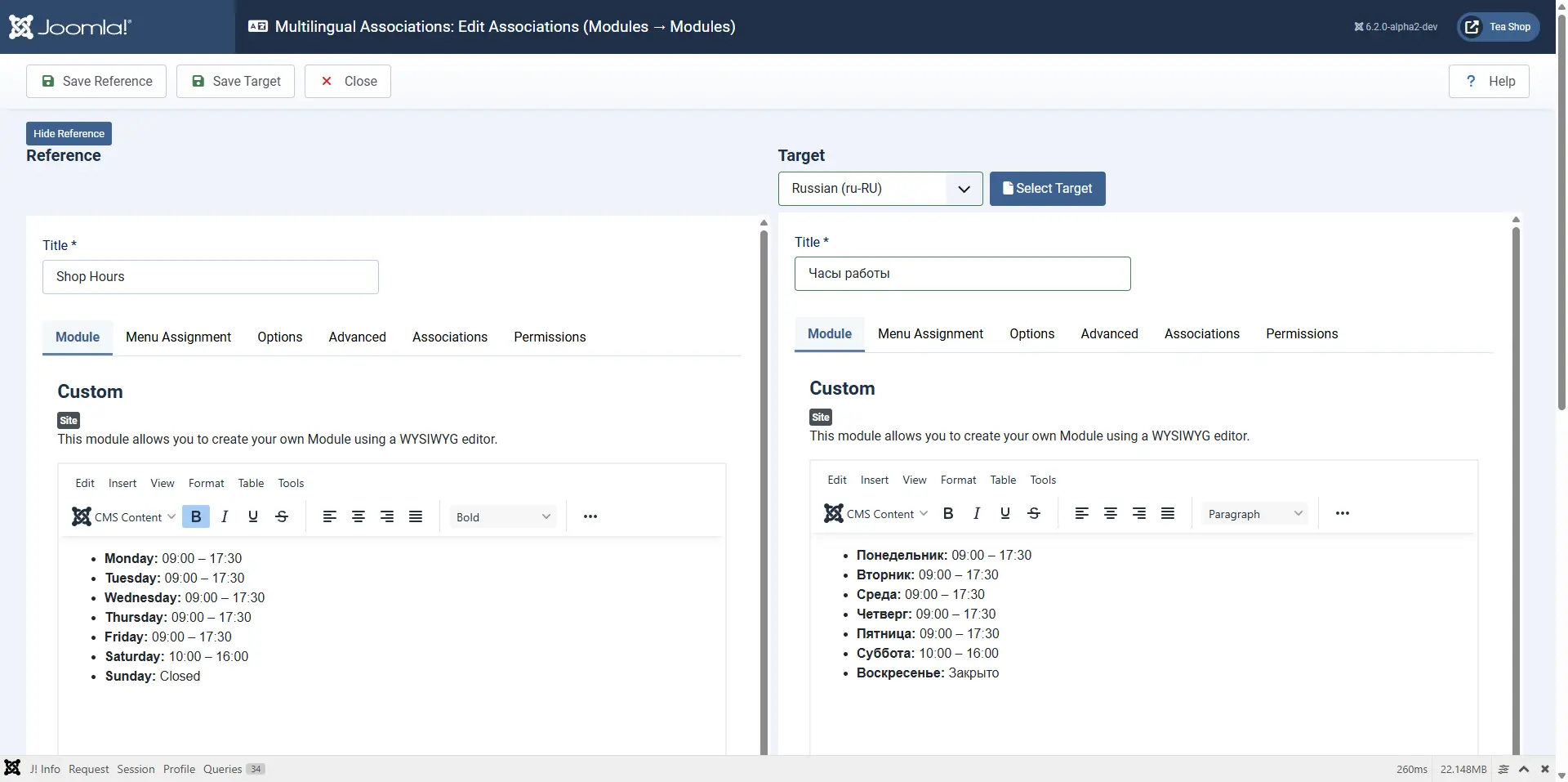
If you run a multilingual website, you can now associate related modules in different languages in the same way that you associate articles, categories and menu items. This makes it much easier to manage equivalent modules across multiple languages from a single workflow.
For example, if your site has a custom module containing opening hours, contact information, promotional content or language-specific menus, you can link those modules together as associations. This makes it easier to navigate between translations and maintain consistency across languages.
Like other multilingual associations in Joomla, module associations can be managed through the Multilingual Associations component, providing a side-by-side editing experience for related content.
Small Features, Big Benefits
Neither of these features is likely to be the reason you upgrade to Joomla 6.1. However, they are excellent examples of the steady improvements that continue to make Joomla a more powerful and user-friendly CMS.
Module Versioning provides a safety net when making changes, while Multilingual Module Associations bring greater consistency to multilingual site management. Together they make modules easier to manage, easier to maintain and less prone to human error.


 Congratulations, you discovered a hidden secret!