

Do More With Core
I am making some small changes to this site and I will document them as I go along.
I wanted to have a module listing all the blog posts sorted by date. We can do this out of the box using the new mod_articles module (since Joomla 5.2).
In this tutorial I will show you how to configure the module to produce a date sorted and grouped list and then customise it further using a template override for the module to further group the blog posts by year.
We will progressively disclose the posts using the HTML <details> and <summary> elements to only show the dates and then revealing the blog posts for that month when a user explicitly requests them. This web design technique helps reduce cognitive overload and keeps interfaces clean.
Step 1 - configure the module
-
In the Joomla backend go to System → Site Modules → New.
-
Select Articles (i.e.
mod_articles) as the module type. -
In the module settings:
- Articles to display: Set to 0 to include all articles
- Category: choose which articles to include (e.g. select categories, include/exclude, child categories, etc.) depending on what articles you want.
- Display Options: set “Title Only (lists)” = Yes
- Ordering Options: Set the date to order by the articles by (eg Start Publishing Date) and the direction (eg Descending)
- Grouping Options: set article grouping to Month and Year and choose the Date Grouping Field (eg Start Publishing Date) and Grouping Direction as descending.
-
Assign the module to a position and menu items as needed, then save & publish.
Result: On the frontend, mod_articles will output a list of your articles grouped by month/year headings
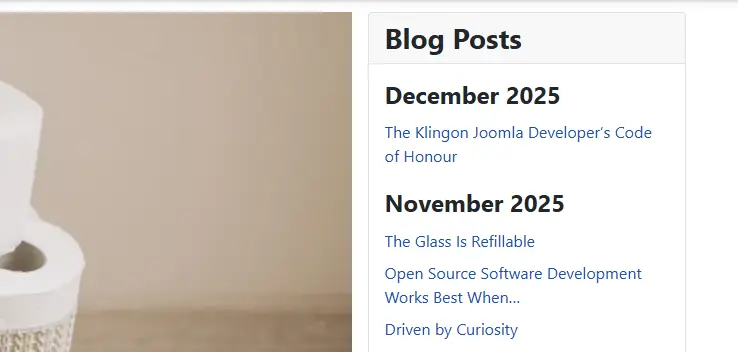
Step 2 - group by year
I have a lot of blog posts so I want to additionally breakdown the list of posts by year. There is no option for this but we can add a small snippet of php to achieve this.
By using a template override you can customize the output of a Joomla module without modifying the core files, ensuring that your changes are preserved during updates.
-
Create a template override
- Go to System→ Site Templates.
- Click on your active template.
- Open the Create Overrides tab
- Find the module we want to override
(mod_articles) and click on it. Joomla will automatically create a copy of the module’s layout in your template in the folder/templates/template_name/html/mod_articles
-
Rename the override
- I want the override just for this one use case so I need to rename the three files eg
date.php,date_details.phpanddate._title.php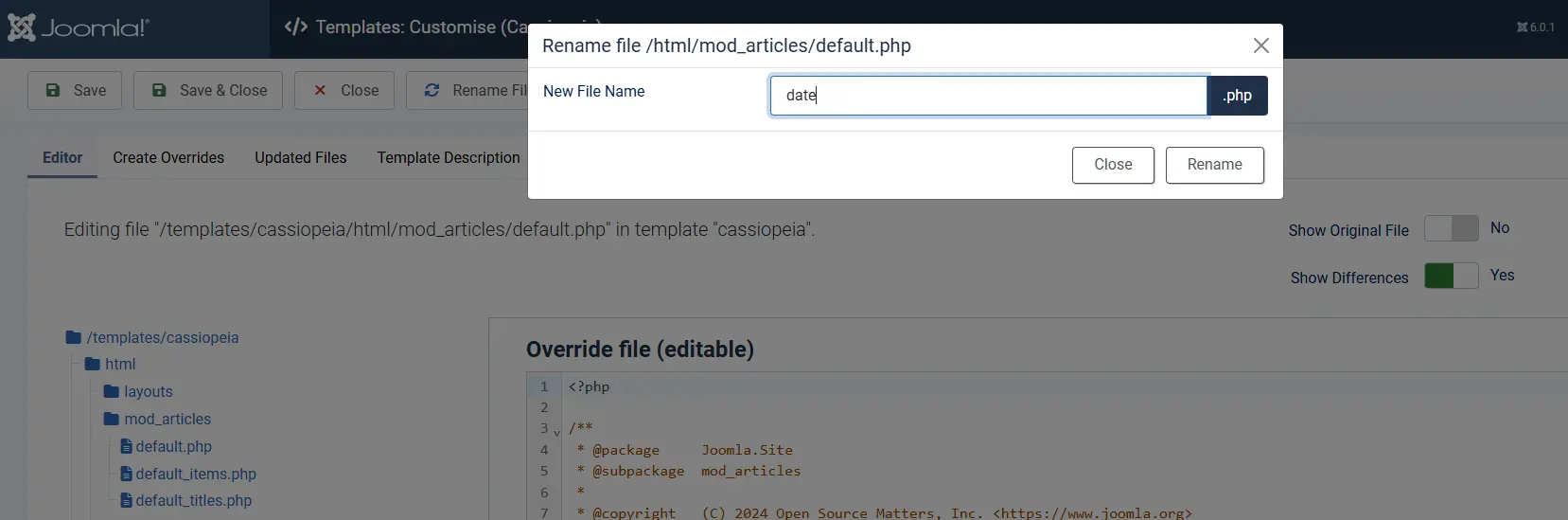
- I want the override just for this one use case so I need to rename the three files eg
-
Update the module settings to use the override
- go back to the module and the advanced tab and select the override in the layouts dropdown
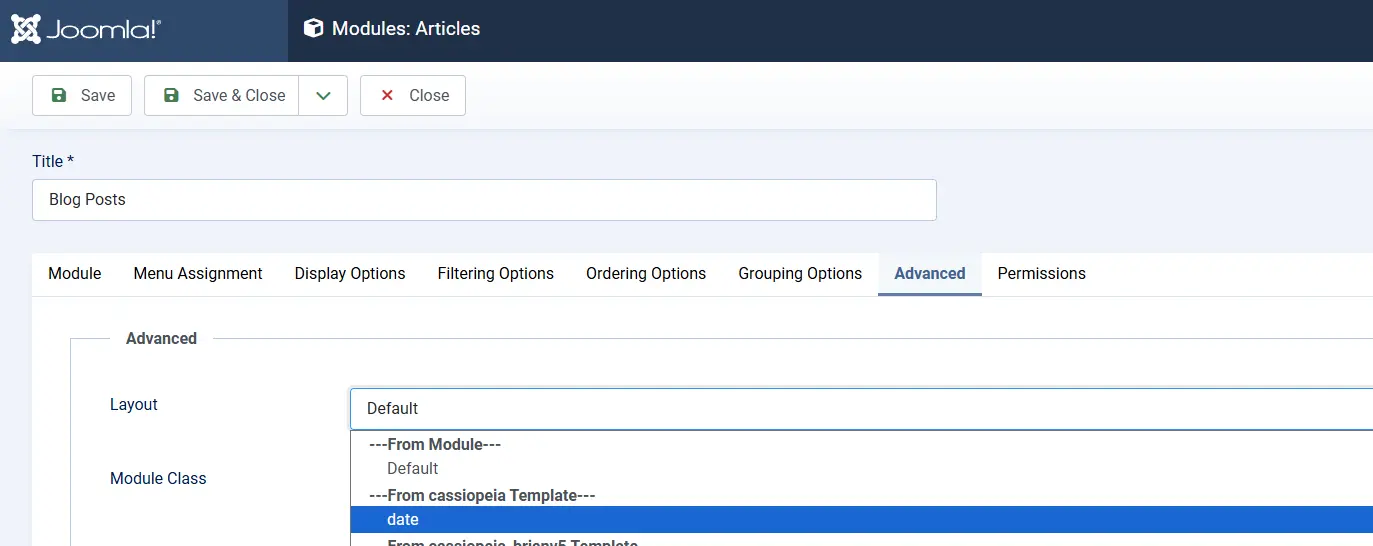
- go back to the module and the advanced tab and select the override in the layouts dropdown
-
Add the php to group by year
-
go back to the template editor and open the
date.phpfile for editing -
add the following code to split the date so that we are grouping by year and then month
<?php // Group items by year and then by month $groupedByYear = []; foreach ($list as $groupName => $items) { // Split the group name into month and year [$month, $year] = explode(' ', $groupName); // Initialize the year group if it doesn't exist if (!isset($groupedByYear[$year])) { $groupedByYear[$year] = []; } // Add the month and its items under the year $groupedByYear[$year][$month] = $items; } ?> -
There is no visual change yet!!
-
Step 3 - add progressive disclosure
The next step is to change the display so that we are using the HTML<details>and <summary>
- go back to the template editor and open the date.php file for editing
- remove the existing code to display the article titles
<?php if ($grouped) : ?> <?php foreach ($list as $groupName => $items) : ?> <div class="mod-articles-group"> <<?php echo $groupHeading; ?>><?php echo Text::_($groupName); ?></<?php echo $groupHeading; ?>> <?php require ModuleHelper::getLayoutPath('mod_articles', $params->get('layout', 'default') . $layoutSuffix); ?> </div> <?php endforeach; ?> <?php else : ?> <?php $items = $list; ?> <?php require ModuleHelper::getLayoutPath('mod_articles', $params->get('layout', 'default') . $layoutSuffix); ?> <?php endif; - Paste this code instead
<?php foreach ($groupedByYear as $year => $months) : ?> <details class="mod-articles-year"> <summary><?php echo Text::_($year); ?></summary> <?php foreach ($months as $month => $items) : ?> <details class="mod-articles-month"> <summary><?php echo Text::_($month); ?></summary> <?php require ModuleHelper::getLayoutPath('mod_articles', $params->get('layout', 'details') . $layoutSuffix); ?> </details> <?php endforeach; ?> </details> <?php endforeach; ?> - $params->get('layout', 'date')
Step 4 - fine tune with some css
Everything should now be working on your site but you will probably need to add some css to improve the display.
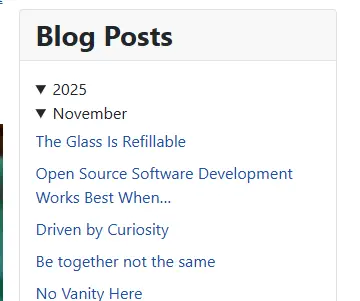
- go back to the template editor so we can add some css
- if you are using the cassiopeia template then we can add this css to the
user.cssin themedia/templates/site/cassiopeia/cssfolder. If you dont already have auser.cssthen you can create it now. - add the following css
/* blog roll */
details.mod-articles-month {
    padding-inline-start: 1em;
}
.mod-articles-month ul {
    margin-bottom: 0;
}
.mod-articles-month li {
    margin-inline-start: 2em;
    list-style: disc;
}
End Result
You can see the end result below with all the html and css changes and in action on the right hand side.



 Congratulations, you discovered a hidden secret!