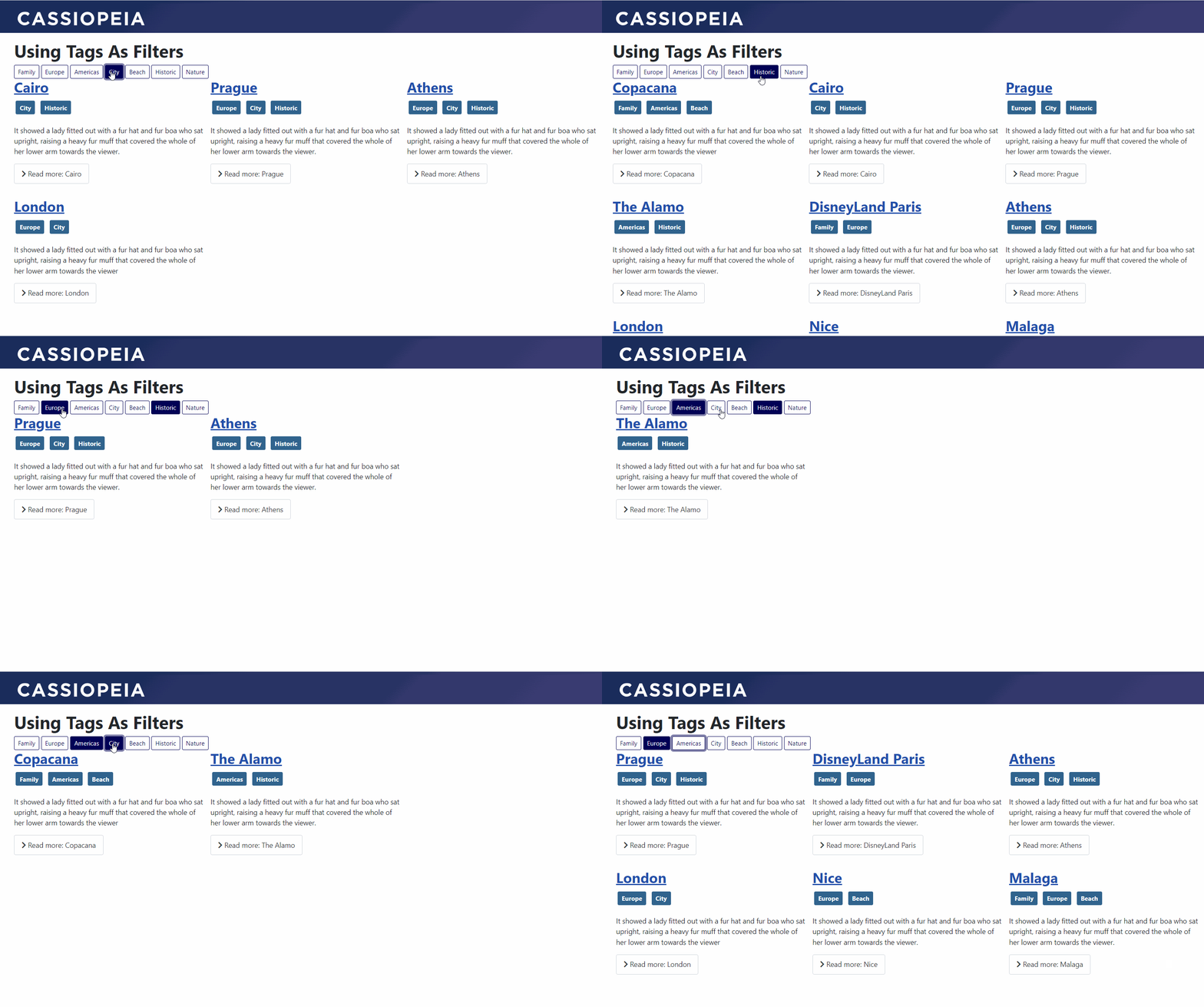

Showcasing the power of Joomla 4 out of the box with no additional extensions I produced this website (https://brianstest.site). One of the features I created was a masonry style view (https://brianstest.site/trips) with no javascript or css edits - just some simple template overrides.
The tutorial below is for creating a simpler version of that view using tags instead of custom fields. A custom fields version will follow.
Setup
-
Create a single category called Holiday
-
Create the tags you need to filter the content eg Beach, Nature, City, Historic
-
Create multiple articles in the Holiday category
- Add Tags to each article
- Add Readmore to each article
-
Create a menu item of type Articles->Category Blog
-
Set the Blog Layout as follows
- 0 Leading Articles
- 9 Intro Articles
- 3 Columns
- Multi Column Direction - Across
-
Set the Options as follows
- Intro Text - Show
- Category - Hide
- Author - Hide
- Create Date (etc) - Hide
- Tags - Show
-
-
Edit the Holiday category and add all the tags
Template Override 1
-
Create overrides for Layouts->joomla->content
-
Create a new file called filters.php in the folder /templates/template_name/html/layouts/joomla/content
-
Paste the code below into that file and save
<?php

defined('_JEXEC') or die;

?>
<?php if (!empty($displayData)) : ?>
    <?php foreach ($displayData as $i => $tag) : ?>
        <input type="checkbox" class="btn-check" name="CheckBox" id="<?php echo $tag->alias; ?>" value="<?php echo $tag->alias; ?>">
        <label class="btn btn-outline-primary btn-sm" for="<?php echo $tag->alias; ?>"><?php echo $tag->title; ?></label>
    <?php endforeach; ?>
<?php endif; ?>
Template Override 2
-
Create overrides for Components->com_content->category
-
Open the override for /templates/template_name/html/com_content/category/blog.php
-
Insert the code below before line 36
$tags = $this->category->tags->itemTags; $filter = implode( ',', array_map( fn(object $tag): string => '[value="' . $tag->alias . '"]:checked ~ .blog-items .blog-item:not([data-category~="' . $tag->alias . '"])', ($this->category?->tags?->itemTags ?? []) ?: [] ) ); /** @var Joomla\CMS\WebAsset\WebAssetManager $wa */ $wa = Factory::getApplication()->getDocument()->getWebAssetManager(); $wa->addInlineStyle($filter . '{display: none; opacity: none;}'); -
On new line 63 replace joomla.content.tags with joomla.content.filters

Around line 105 delete the highlighted code below

-
Save & Close the file.
Template Override 3
-
Open the override for /templates/template_name/html/com_content/category/blog_item.php
-
Before line 35 insert the following code
<div class="com-content-category-blog__item blog-item" itemprop="blogPost" itemscope itemtype="https://schema.org/BlogPosting" data-category=" <?php if ($params->get('show_tags', 1) && !empty($this->item->tags->itemTags)) : ?> <?php foreach ($this->item->tags->itemTags as $tag) { echo $tag->alias . ' '; }; ?> <?php endif; ?> "> -
At the very end of the file insert the following code
</div> -