
If you use Laragon for local web development, you have probably encountered this.
You create a new folder inside one of your projects. You haven’t created an index.php yet because, well, you’re still working on it. You open the folder in your browser and Apache helpfully presents you with a directory listing.
Technically, there is nothing wrong with it. Apache is doing exactly what it has been configured to do. But let’s be honest. It looks like 1998.
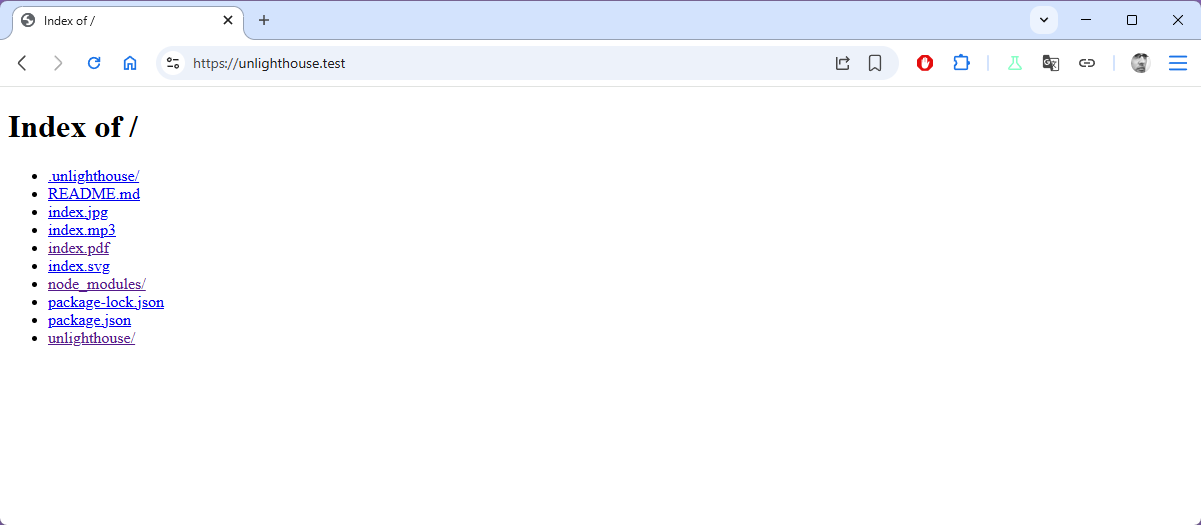
And when you are spending most of your day jumping between local development projects, it is surprisingly irritating.
That was the reason I created DirBrowser.
What is DirBrowser?
DirBrowser is a small, single-file PHP application that replaces Apache’s rather dated directory listing with a much nicer file browser.
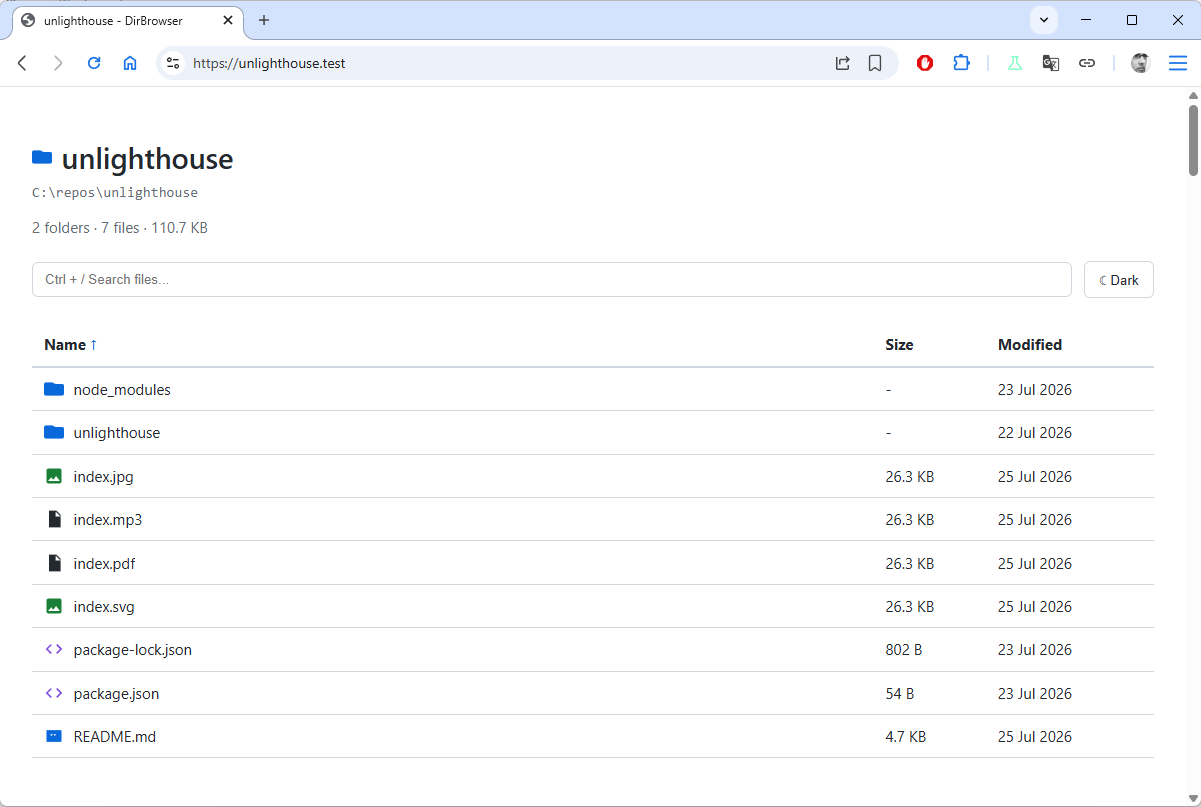
It is deliberately aimed at local development environments, particularly Laragon. There is no database, no framework, no npm installation, no Composer dependencies and no complicated setup. It is simply a PHP file that Apache can use when there isn’t already an index page.
The result is a clean, GitHub-inspired view of the directory. You get folders and files, breadcrumbs, file sizes and modification dates, sorting, searching and icons for common file types.
There is also a dark mode because apparently we have reached the point where even a directory listing needs a dark mode.
But the feature I really wanted wasn’t the prettier interface. It was the way DirBrowser could be installed globally.
What does it actually do?
The basic directory browsing is only the beginning.
Click a folder and DirBrowser takes you into it. Breadcrumb navigation makes it easy to get back out again.
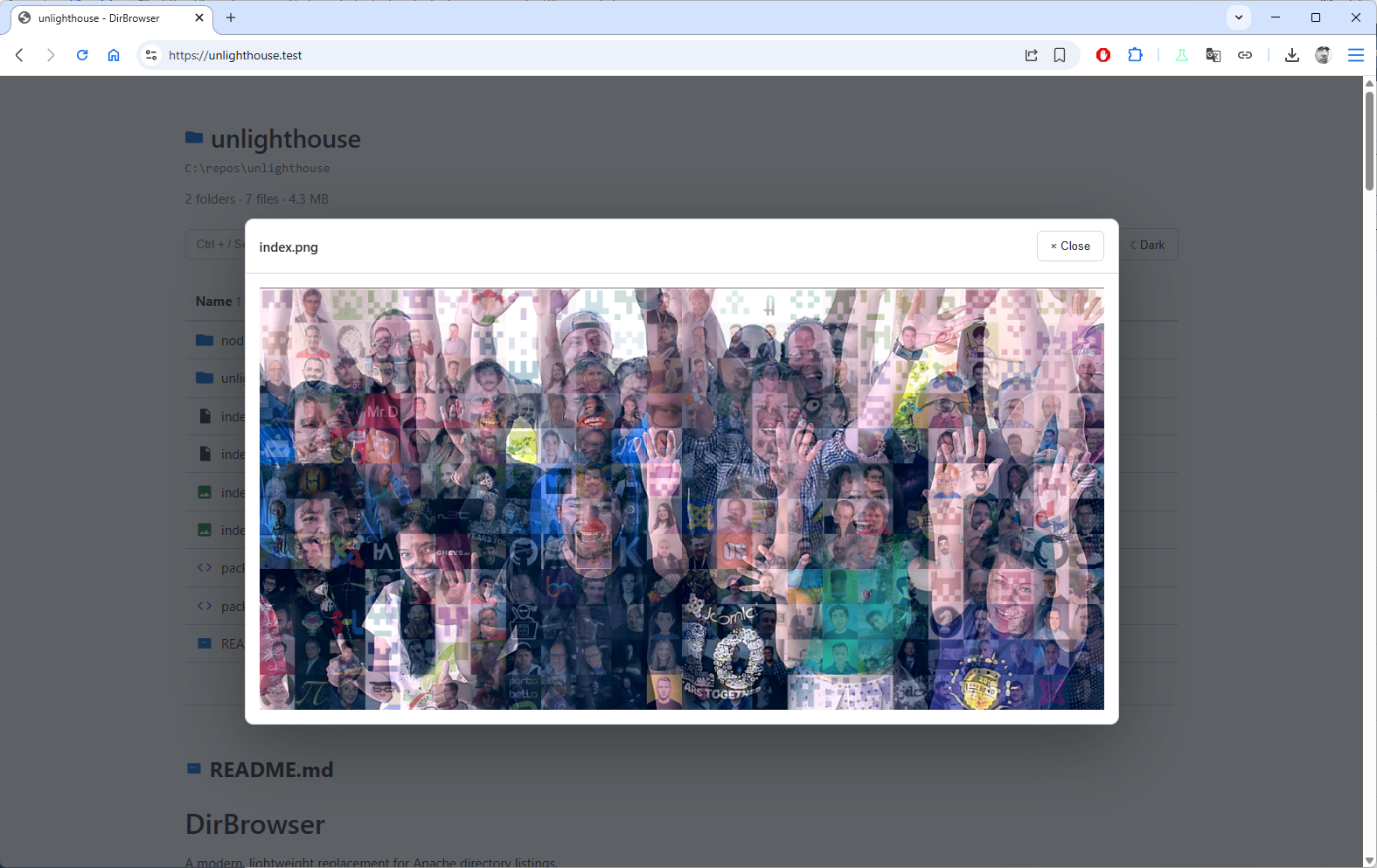
Click an image and it opens in a lightbox rather than sending you away from the directory listing.
Text-based files such as Markdown, JavaScript, CSS, JSON, XML, CSV, YAML, INI, ENV and SQL can be viewed in a readable preview.
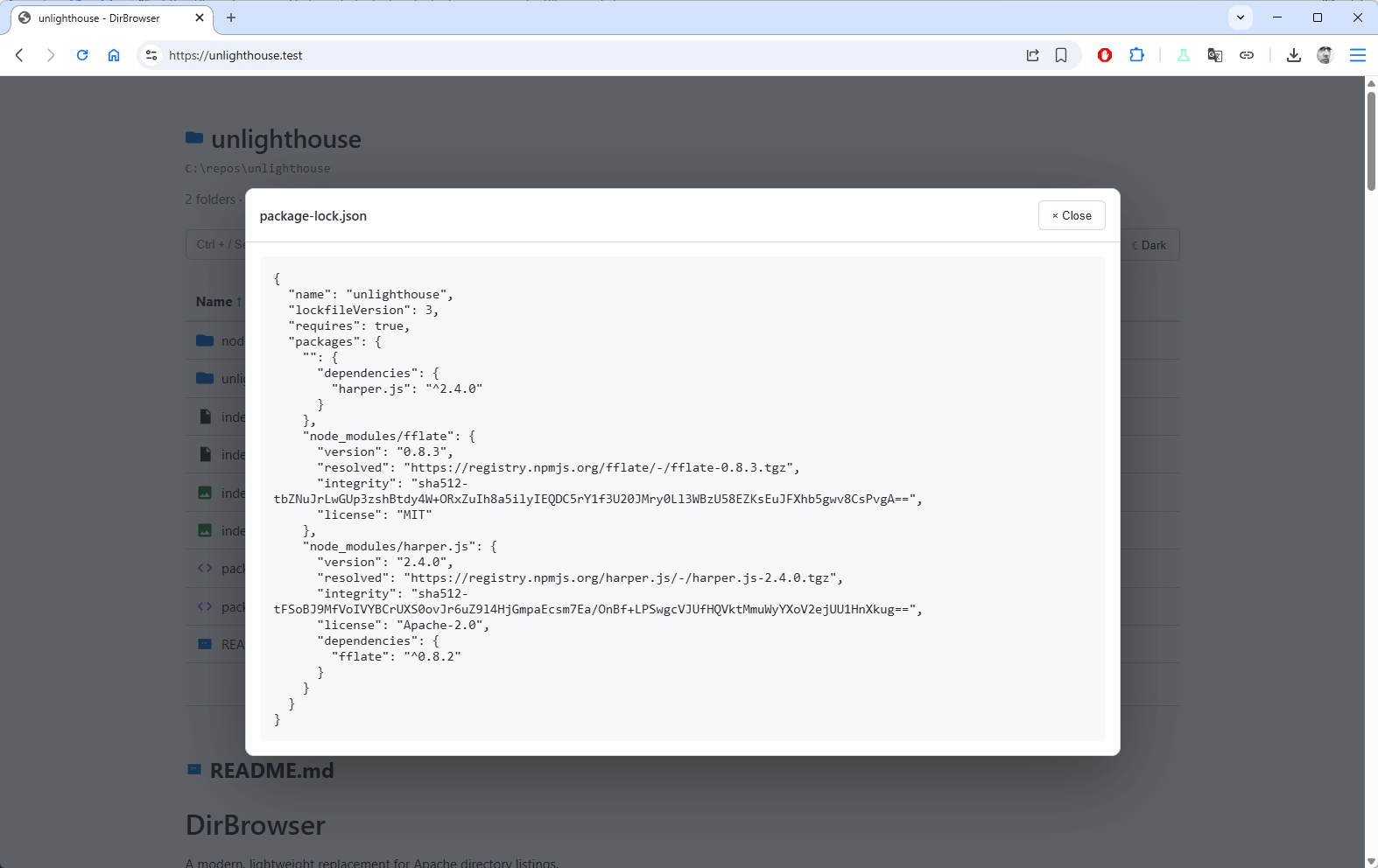
PHP files are opened normally, allowing Apache and PHP to execute them. HTML files are also opened normally so that the browser renders them.
You can sort the listing by name, size or modification date, and there is instant client-side searching when a directory contains enough files to make finding something manually annoying.
There is also automatic README support. If a directory contains a README.md, DirBrowser displays it underneath the file listing just like github. This is particularly handy for development projects because the directory can effectively document itself.
And yes, there is a dark-mode toggle.
Install it once
Normally, if you want a PHP-based directory browser, you put an index.php into every directory you want to browse. That rather defeats the great benefit of using Laragon as a development server being able to drop a folder into my Laragon www directory and have it just work.
With DirBrowser’s global configuration, you install DirBrowser once and Apache uses it as the fallback directory index whenever a directory doesn’t contain a normal index file.
So this:
C:\laragon\www\myproject\assets\
doesn’t need its own index.php.
If there isn’t an index.php, index.html or index.htm in assets, Apache hands the request to DirBrowser instead. And, importantly, if there is an index file, DirBrowser gets out of the way.
That means an existing application isn’t changed. A real index.php remains the real index.php. That is exactly the behaviour I wanted.
Getting it running with Laragon
Step 1: Create the DirBrowser directory
Create this directory:
C:\laragon\usr\dirbrowser\
Copy index.php and laragon-dirbrowser.conf from the DirBrowser repository into it.
Step 2: Configure Apache
In Laragon, go to:
Menu → Apache → httpd.conf
Find the existing Fancy directory listings section and immediately underneath it, add:
Include "C:/laragon/usr/dirbrowser/laragon-dirbrowser.conf"So the section should now look like:
# Fancy directory listings
# Include conf/extra/httpd-autoindex.conf
Include "C:/laragon/usr/dirbrowser/laragon-dirbrowser.conf"
The important thing here is that we are modifying the main Apache configuration rather than one of Laragon’s automatically generated virtual-host files. That means you configure DirBrowser once and it works across your Laragon sites.
Step 3: Restart Apache
In Laragon, choose:
Menu → Apache → Reload
And that is the installation finished.
Existing websites are safe
This is probably the most important part. DirBrowser is not intended to replace your applications’ index pages. The configuration deliberately puts the normal index files first:
So if a directory contains:index.php then Apache serves that file.
If it contains: index.html then Apache serves that instead.
Only when none of those files exists does Apache fall through to DirBrowser. So you can install DirBrowser globally without going through all your existing projects adding or changing files.
That is the whole point.
It isn’t just a prettier directory listing
DirBrowser 2.0 has grown beyond simply making Apache’s directory listing look less depressing.
Files can be previewed directly in the browser. Images open in a lightbox. Text-oriented files can be inspected without leaving the directory. Directories and files are separated visually, and the listing can be sorted by name, size or modification date.
There is also keyboard-friendly searching, breadcrumb navigation and support for displaying a directory’s README.md.
It is still deliberately small, though. The entire application is a single PHP file with no database and no external dependencies. It requires PHP 8.1 or newer and is designed primarily for Apache and local development environments such as Laragon.
Why not just disable directory listings?
You could. In fact, on a production server you probably should not casually expose directory listings at all. But that isn’t the problem DirBrowser is trying to solve.
This is a development environment.
When I’m working locally, a directory containing a bunch of files is often exactly what I want to see. I just want to see it in a useful way rather than being transported back to the early days of the web.
DirBrowser is deliberately a developer convenience, not a replacement for proper production-server security. The project is explicitly intended for local development and should not be installed on a live production server.
One file. One configuration change. Much nicer.
That pretty much sums up DirBrowser. It is a tiny tool for a tiny annoyance.
But it is also a good example of the sort of thing I like about open source. Apache has been doing directory listings perfectly well for decades. There is no bug to fix and no missing enterprise feature to implement.
It just wasn’t doing what I wanted. So I wrote something that did.
If you use Laragon, give it a try. You can find the source, installation instructions and the latest version on GitHub.
And if you are wondering whether I really needed to spend time making a directory listing look nicer, the answer is obviously yes.
Because apparently I have standards.


 Congratulations, you discovered a hidden secret!