
Over time, every Joomla site accumulates unused images. Articles are edited, modules are removed, menus are restructured but the images stay behind. The result is a bloated /images directory that is harder to manage, back up, and migrate.
To solve this, I created a simple command-line PHP script that scans your Joomla site, identifies unused images, and lets you safely move or delete them.
Important: Always take a full site and database backup before running cleanup tools.
What the Script Does
- Scans all image files inside your Joomla
/imagesdirectory - Checks where images are actually referenced in the Joomla database
- Identifies images that are no longer used anywhere on the site
- Moves unused images to a separate
/unusedfolder or deletes them - Logs every action so you can review what happened
- Supports a safe dry-run mode before making changes
Supported Joomla Data Sources
The script checks for image usage across core Joomla tables and fields, including:
- Articles (
content) - Categories
- Menu items
- Modules
- Contacts
- Custom fields (including JSON data)
It also respects a whitelist of folders such as banners, headers, and sampledata to avoid removing system or demo assets.
Requirements
- PHP 7.4 or later
- Command-line (CLI) access to your site
- A Joomla installation with read/write access to the
/imagesdirectory
Installation
- Download the script from GitHub
- Place it in the root of your Joomla site (next to
configuration.php) - Make it executable
chmod +x cleanup.phpUsage
Run the script from the command line:
php cleanup.php [options]Available Options
--dry-run– Show what would happen without moving or deleting files--delete– Permanently delete unused images--quiet– Suppress output (useful for cron jobs)
Examples
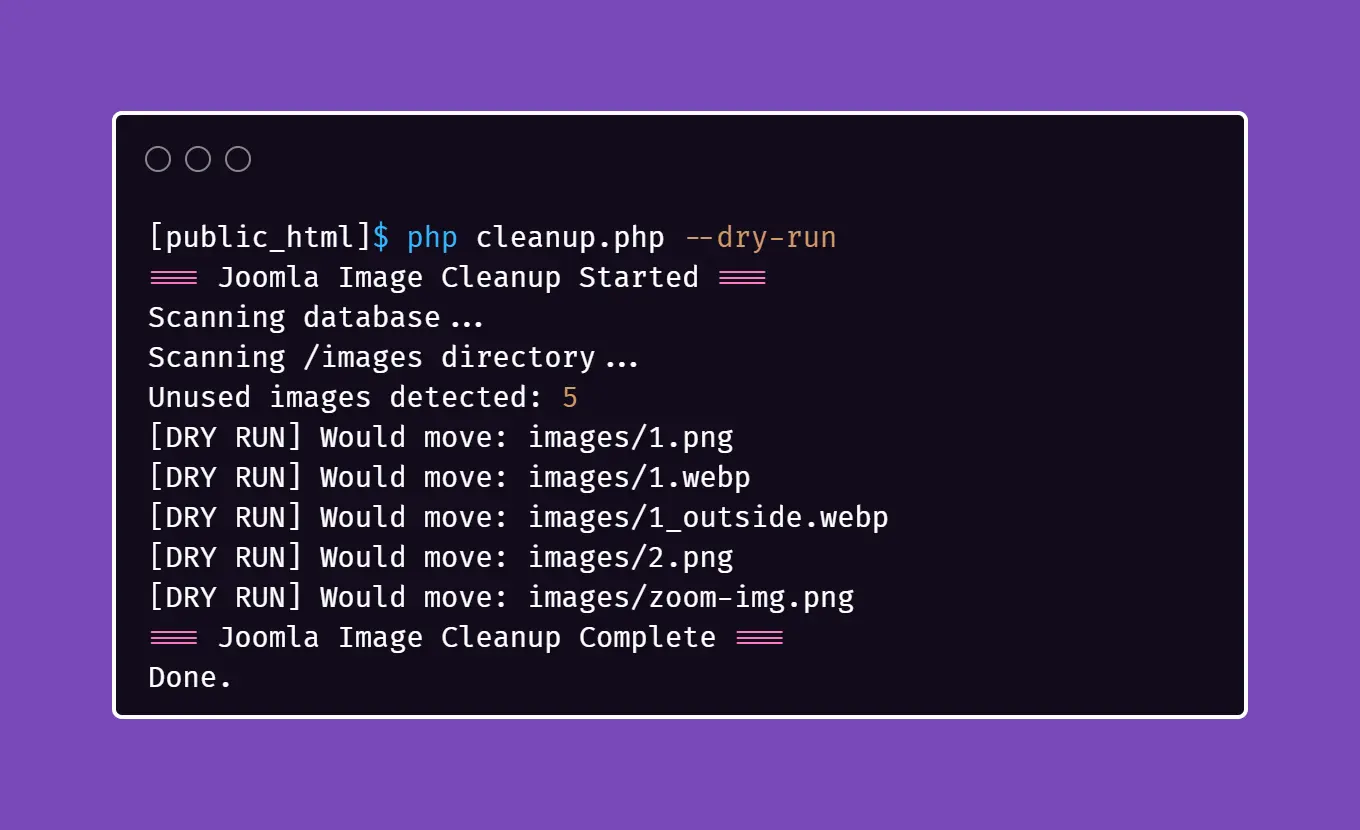
Preview changes safely:
php cleanup.php --dry-runMove unused images into an /unused folder:
php cleanup.phpDelete unused images permanently:
php cleanup.php --deleteHow It Works
- Scans Joomla database tables for image references
- Builds a list of all image files on disk
- Compares database usage against the filesystem
- Moves or deletes images that are not referenced anywhere
- Writes a full activity log to
cleanup-log.txt
Screenshot
Download the Script
You can download the latest version of the script directly from GitHub:
Download the Joomla Image Cleanup Script
Final Notes
- Always run with
--dry-runfirst - Custom extensions may reference images in non-standard ways
- Ideal for periodic site maintenance or before migrations
Used carefully, this script can significantly reduce clutter and keep your Joomla site clean and maintainable.